
In live TV broadcasting, catch-up refers to the process of recording live television programs on the IPTV provider’s server, allowing viewers to watch the content later after the original broadcast has ended.
Many IPTV devices offer additional time-shifting features, such as the ability to start watching a program from the beginning even while it’s still airing live. Some IPTV providers also offer time-shifted versions of their channels, typically delayed by one hour.
In this tutorial, we’ll show you how to use the Time Shift or Catch-Up feature on your MAG device.
Need help setting up IPTV? See our guide on how to set up IPTV on a MAG device.
As shown in the image below, channels that support catch-up are usually marked with a clock icon next to their names.
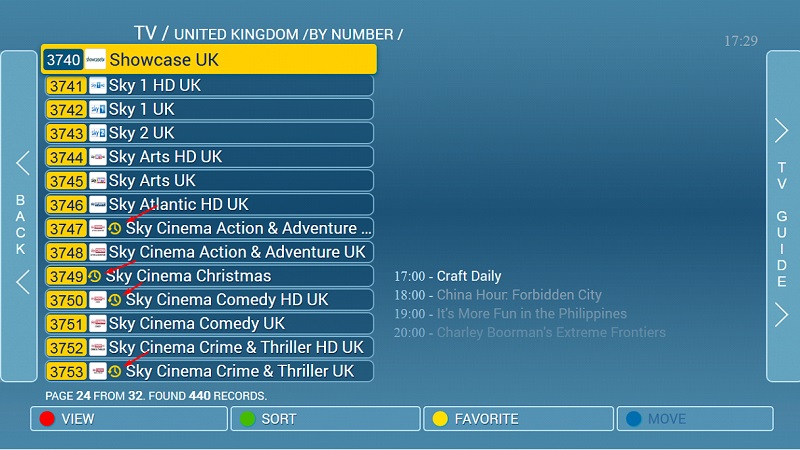
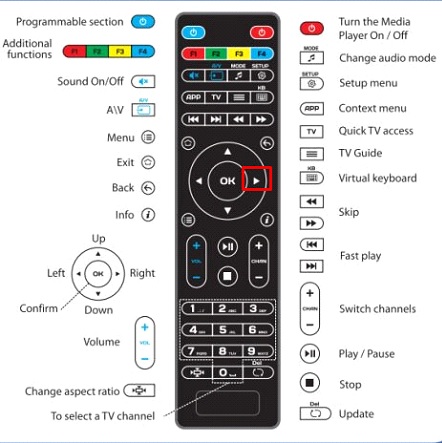
Step 1: To watch previously recorded content using the catch-up feature, press the right arrow on your remote control to open the TV Guide.
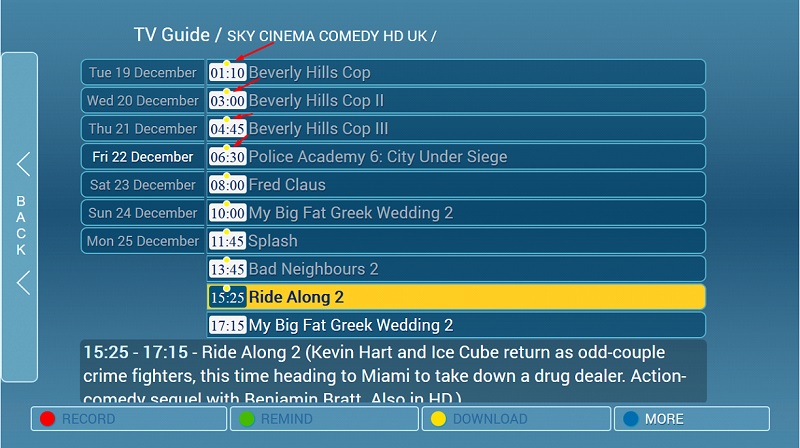
Step 2: After opening the TV guide you will see the available content for the catch-up feature with a yellow dot on it as depicted in the below picture.
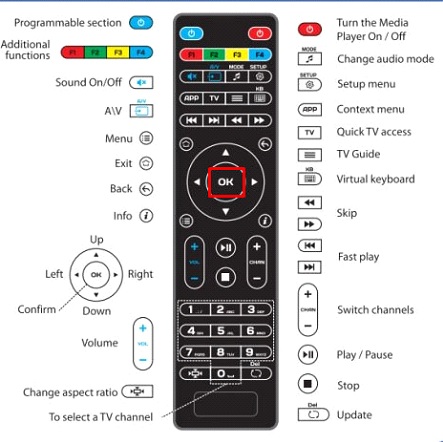
Step 3: Select the desired content and press OK on your remote control.
Please note, contents that are not marked with a yellow dot are not yet available for using the catch-up feature.