
If you need to change your portal address to use a different IPTV provider, the instructions below will guide you through the entire process on your MAG box
How to Change the Portal Address
First, switch off the MAG box and unplug its power cable, then disconnect the Ethernet cable that links the box to the router. Turn the box back on without reconnecting it to the modem. Once the “Loading Portal” message appears on the screen, press the “SET” button on the remote control. Then, navigate to the Settings menu and press “OK.”
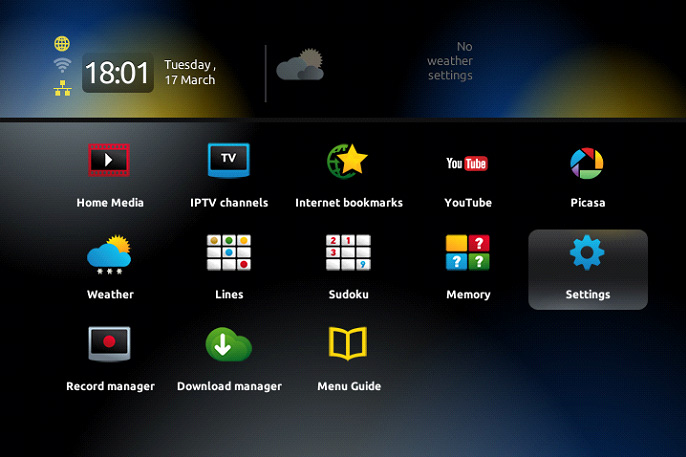
Press the “SET” button on the remote control again.
Go down to Servers and press “OK“.
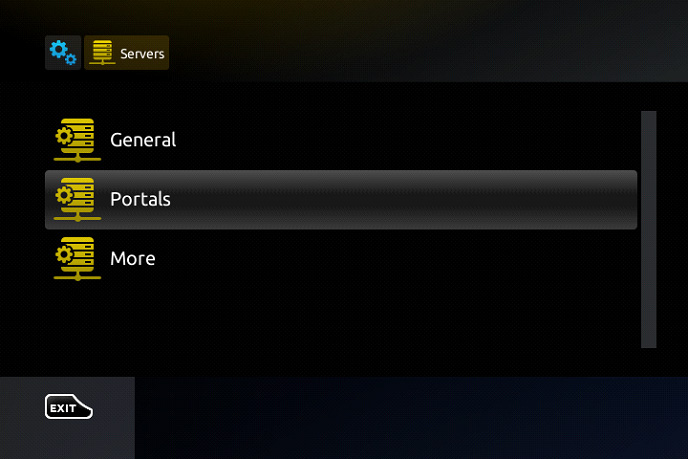
Navigate to the Portal 1 URL field and erase all the existing text using the back button on your remote. Press the “KB” button (which looks like a keyboard) located at the top right of the remote to bring up the on-screen keyboard. Enter the new portal address. Once done, press the “KB” button again to close the keyboard, scroll to the bottom of the screen, and select “OK.” Finally, reconnect the cable between the box and the modem, then either reload the portal or restart the TV box using the power supply.