AmbKonnect
Home
TV Channels
Guides
Resellers
Store
  1. Home
  2. /
  3. Help Centre
  4. /
  5. Boxes
  6. /
  7. How to add channels to the Favorites list on a MAG box?
← Back to Help Centre
Boxes · MAG BoxUpdated 5 Jul 2026

How to add channels to the Favorites list on a MAG box?

How to Add Channels to the Favorites List on a MAG Box

In this guide, we’ll walk you through the process of adding IPTV channels to your Favorites list on a MAG device. The Favorites feature allows users to quickly access their preferred channels without browsing through the full list every time.

What is a MAG box? It’s a set-top box designed for IPTV streaming, commonly used with services that support Portal or M3U playback.


Adding Channels to Favorites

You can add channels to your Favorites list from two sources:

  • Directly from the IPTV channel list

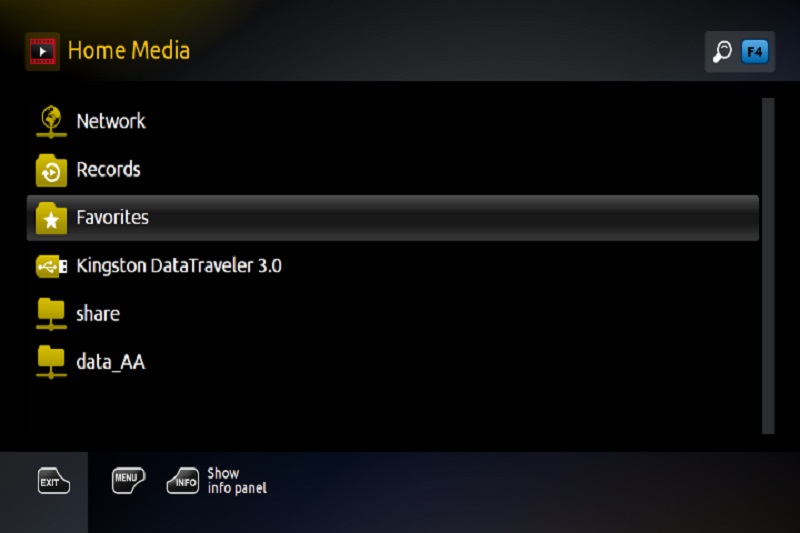
  • From an M3U playlist stored on a USB drive or accessed via a network (found under Home Media)


Steps to Add a Channel to Favorites:

  1. Navigate to the channel you want to add.

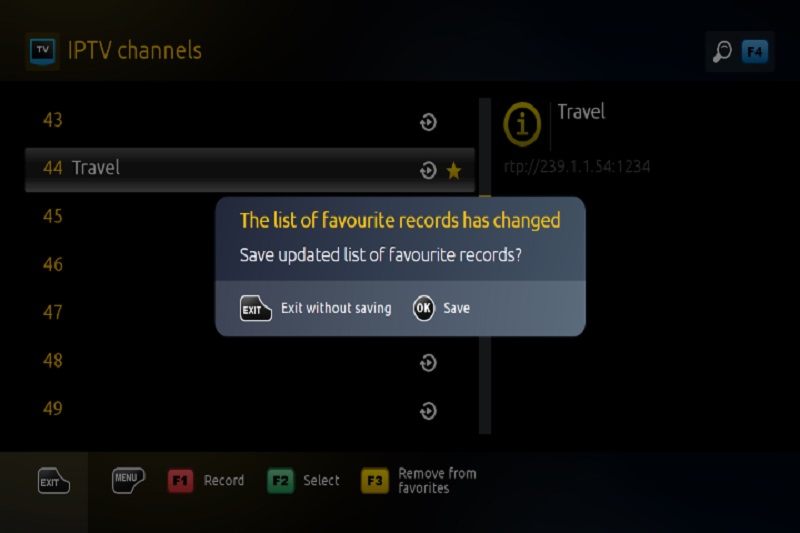
  2. Press the F3 button on your remote control — this will mark the selected channel with a star icon.

  3. Repeat the process for each channel you’d like to add.

  4. Once you've selected all desired channels, exit the channel list.

  5. The system will prompt you to confirm changes to your Favorites list.

  6. Press OK on the remote to save the changes.

Your selected channels will now be saved to the Favorites list for quick and easy access.
How to add channels to the Favorites list on a MAG box? — illustration 1How to add channels to the Favorites list on a MAG box? — illustration 2

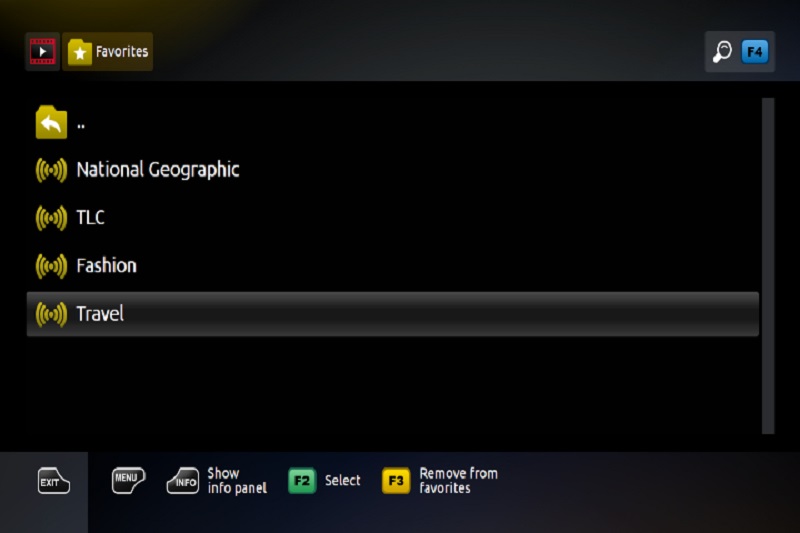
How to access the Favorites

Added to Favorites channels, become available from Home media.
How to add channels to the Favorites list on a MAG box? — illustration 3

More in MAG Box

View all →
  • How to Set Up IPTV on a MAG Box: A Step-by-Step Guide
  • How do I update the Portal address on a MAG device?
  • How to setup IPTV on MAG with M3U url?
  • What is MAC address on MAG Box?
  • How to update MAG?
  • Common Issues with MAG Boxes

Related guides

Boxes · MAG Box

How to Set Up IPTV on a MAG Box: A Step-by-Step Guide

In this guide, we’ll walk you through the process of configuring IPTV on your MAG device so you can enjoy live TV channels seamlessly. Step 1: Access the Main Menu Once your MAG box powers on and loads, the main portal s

Read guide →
Boxes · MAG Box

How to setup IPTV on MAG with M3U url?

In this tutorial, we’ll guide you through the process of setting up IPTV channels on your MAG 4XX and 5XX series devices (such as MAG410, MAG420, MAG425, MAG500, MAG520, MAG524, and others). Note: Most IPTV providers no

Read guide →
Boxes · MAG Box

How do I update the Portal address on a MAG device?

If you need to change your portal address to use a different IPTV provider, the instructions below will guide you through the entire process on your MAG box How to Change the Portal Address First, switch off the MAG box

Read guide →
Boxes · MAG Box

What is MAC address on MAG Box?

The MAC address (short for Media Access Control address ) is a unique identifier assigned to network-enabled devices, which helps distinguish the manufacturer's registered number. It plays an essential role when connecti

Read guide →

Explore AmbKonnect

  • Quick setup guidesGet streaming in under 10 minutes
  • All help articles42 guides for every device
  • TV channel list15,000+ live channels worldwide
  • Pricing plansCompare subscription options
  • Subscribe nowInstant activation, money-back guarantee
  • Contact supportOpen a ticket — we reply 24/7
All articlesQuick setup guidesContact supportSubscribe now
AmbKonnect

Seamless Streaming, Unmatched Quality. Your Ultimate IPTV Experience. Since 2010.

Navigation

  • Home
  • TV Channels
  • Subscribe
  • Members Area

Help Center

  • Blog
  • Help Centre
  • Setup Guides
  • Contact Us

Legal

  • Terms
  • Privacy
  • Abuse report
© 2026 AmbKonnect. All rights reserved.