
💻 IPTV Smarters Now Available for Windows!
IPTV Smarters has long been recognized as one of the top IPTV apps for Android and iOS users. Now, there's great news for Windows users — IPTV Smarters is now officially available on Windows PCs.
You can download the app for various platforms directly from their official website:
👉 IPTV Smarters Official Website
🌟 IPTV Smarters Pro Features
IPTV Smarters offers a wide range of features, including:
Live TV
Movies
TV Series
One of the standout features is Catch-Up, which was previously available only on MAG devices. Now, IPTV Smarters brings this convenient option to Windows as well, making it one of the few apps that support it.
With Catch-Up, you no longer have to worry about missing your favorite shows or live events — you can go back and watch previously aired content at your convenience.
🧰 How to Add IPTV Channels to IPTV Smarters on Windows
✅ Step 1: Download the App
Visit the IPTV Smarters download page and select the version for Windows:
👉 https://www.iptvsmarters.com/#downloads
✅ Step 2: Install and Launch
Once the app is installed, open it and click on “Add New User” to begin setting up your IPTV account.
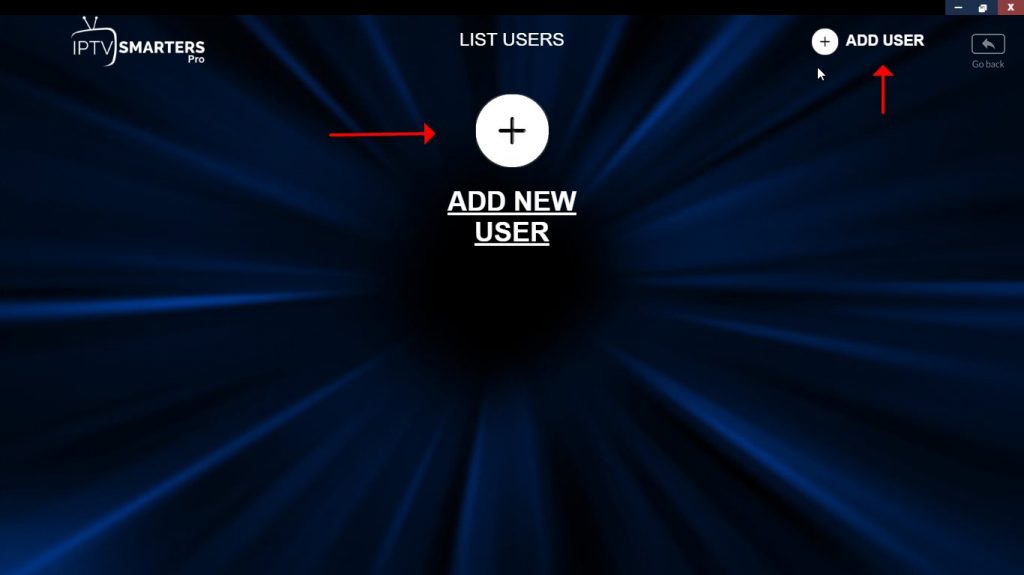
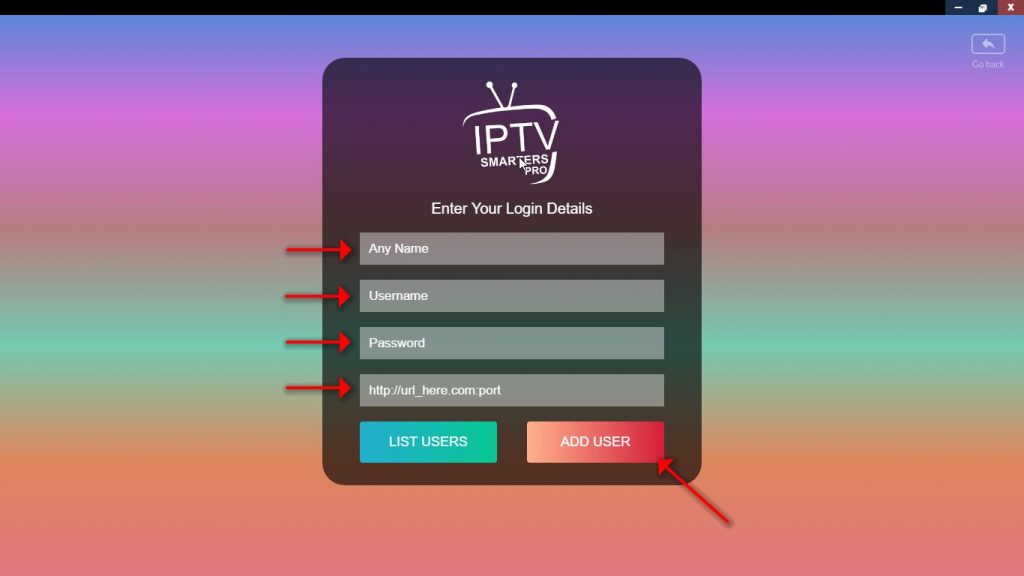
✅ Step 3: Enter Your Login Details
In this step, you'll need to input your IPTV credentials:
In the first field, enter any name of your choice (this is just to label the profile).
Then, fill in the Username, Password, and Server URL, which can be extracted from your M3U link.
Most IPTV providers offer a dashboard where you can easily access your M3U URL and retrieve these details.
Not sure where to find your server address, username, or password?
Check your provider's dashboard or contact their support.
Once all fields are filled out, click on "ADD USER" to proceed.
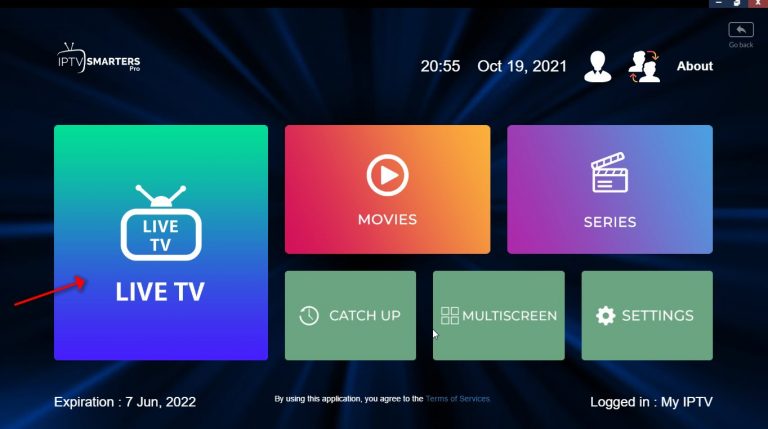
Step 4: After login, easily click on “LIVE TV” .
In this step you can see the expiration date of your subscription in the bottom of page.
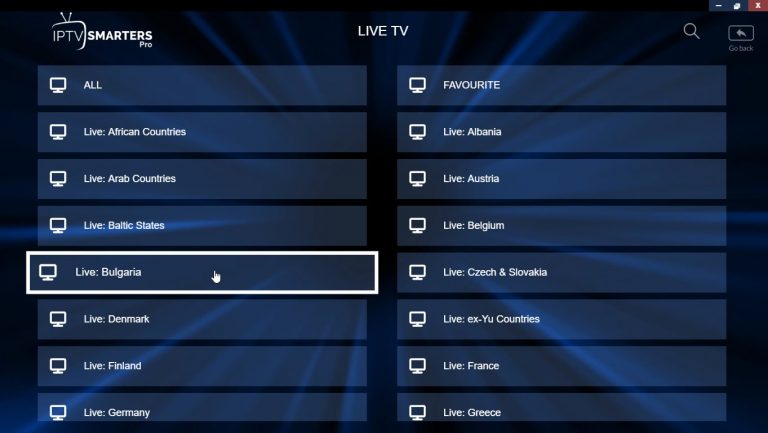
Step 4: Select the bouquet and Play the desirable channels.
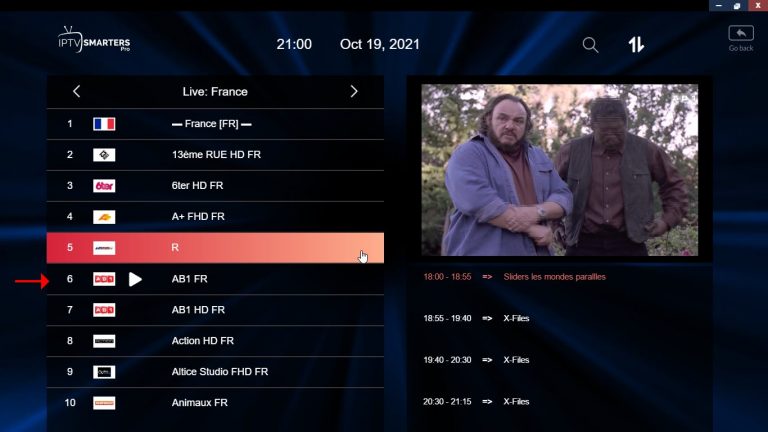
Enjoy!
IPTV Smarters features
Live, Movies, Series & TV
Catchup Streaming
Support: EPG
Parental Control Integrated for each category
Built-in powerful player
Support: Playing with External Players
Attractive & Impressive Layout and More User-Friendly
Support: Dynamic language switching