
How to Add IPTV Channels to GSE SMART IPTV App
In this guide, we'll walk you through the process of adding IPTV channels to the GSE SMART IPTV App.
GSE is a powerful, user-configurable IPTV solution that supports both live and on-demand streaming. It includes a robust built-in media player that handles most formats, including M3U playlists with advanced options. The app is available for both Android and iOS platforms.
Using Remote Playlist in GSE
In this tutorial, we’ll focus on setting up IPTV using the Remote Playlist method in GSE.
Want to use Xtream-Codes instead? See: How to Set Up IPTV on GSE via Xtream-Codes API.
Download GSE SMART IPTV
You can download the app using the links below:
Android Devices:
https://apkpure.com/gse-smart-iptv/com.gsetech.smartiptviOS Devices:
https://itunes.apple.com/us/app/gse-smart-iptv/id1028734023?mt=8
How to Add IPTV Channels in GSE
Step 1: Download and install the GSE SMART IPTV App from the links above or through your device’s app store.
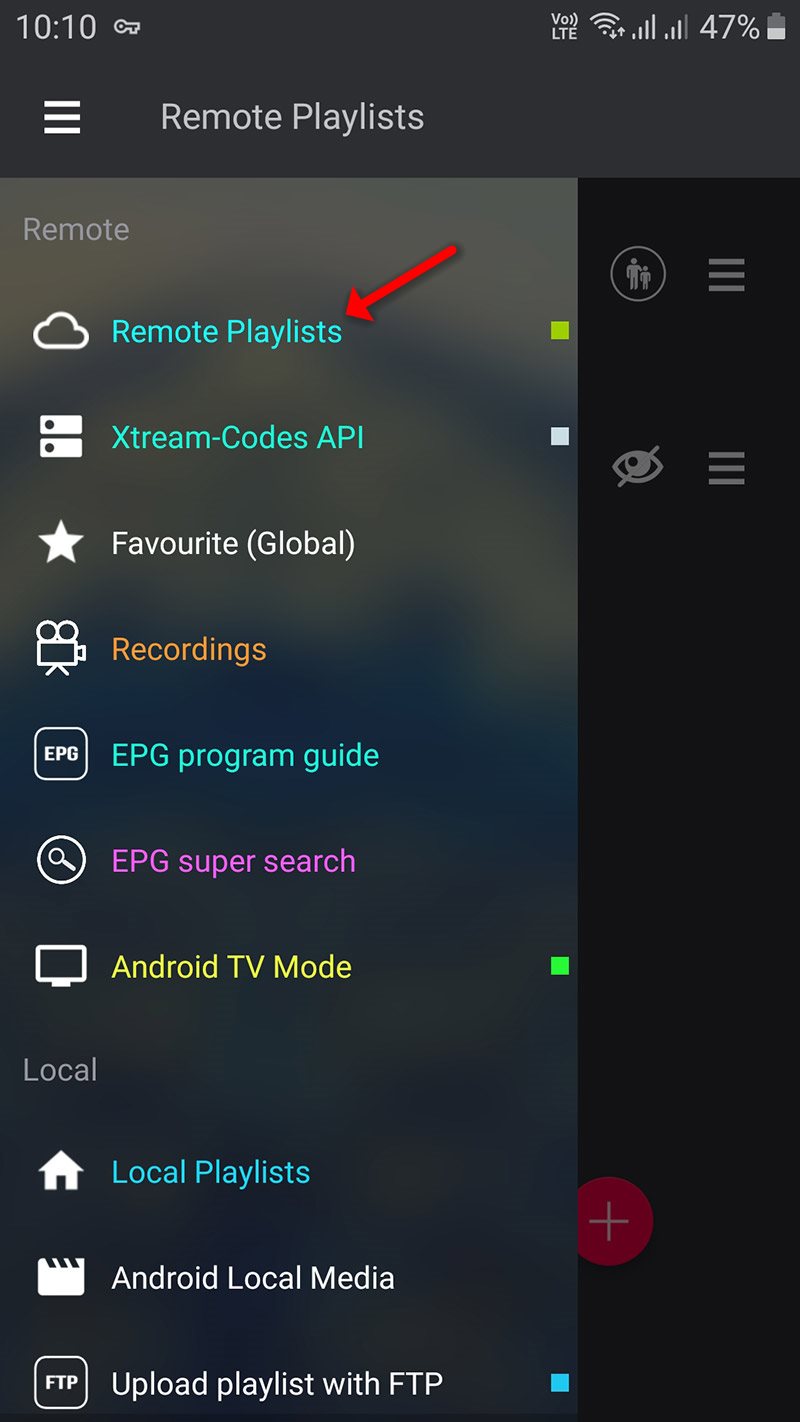
Once installed, open the app and navigate to the menu, then tap on "Remote Playlist" to begin the IPTV setup.
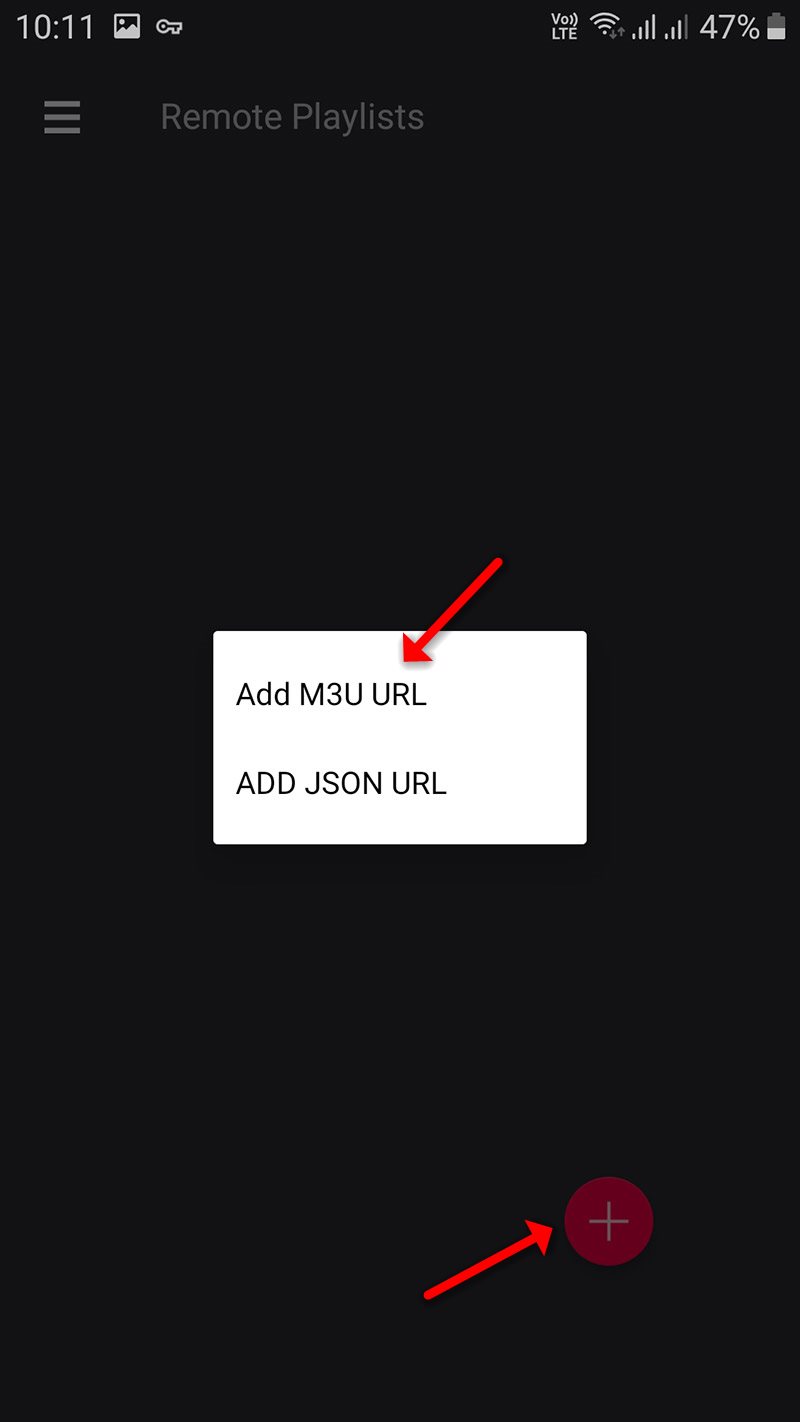
On down right corner click on the red circle, then Add M3U URL.
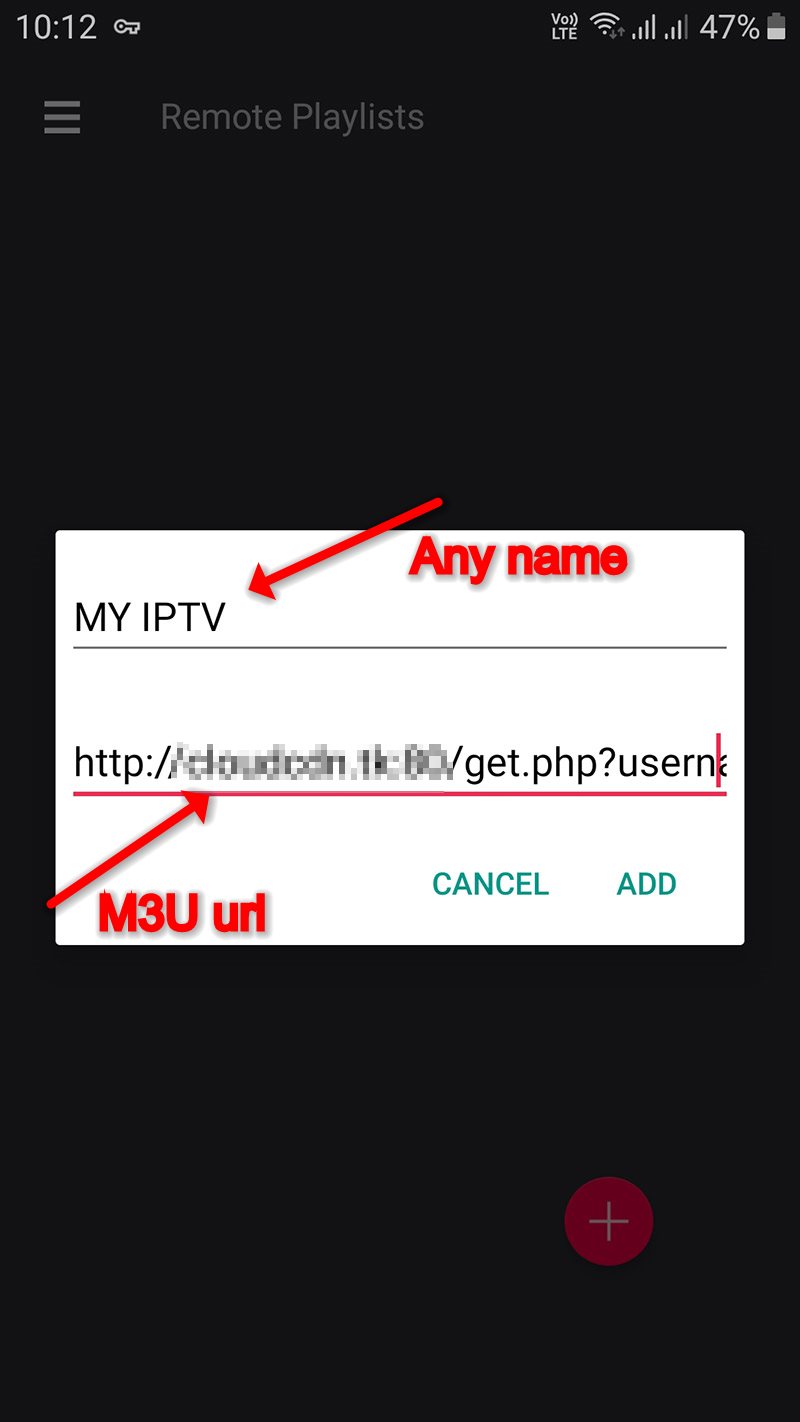
Step 2: Enter a name of your choice for the playlist, paste your M3U URL, and then click “ADD” to save it.
Step 3: Now click on the playlist you just added in order to the see the channel groups.
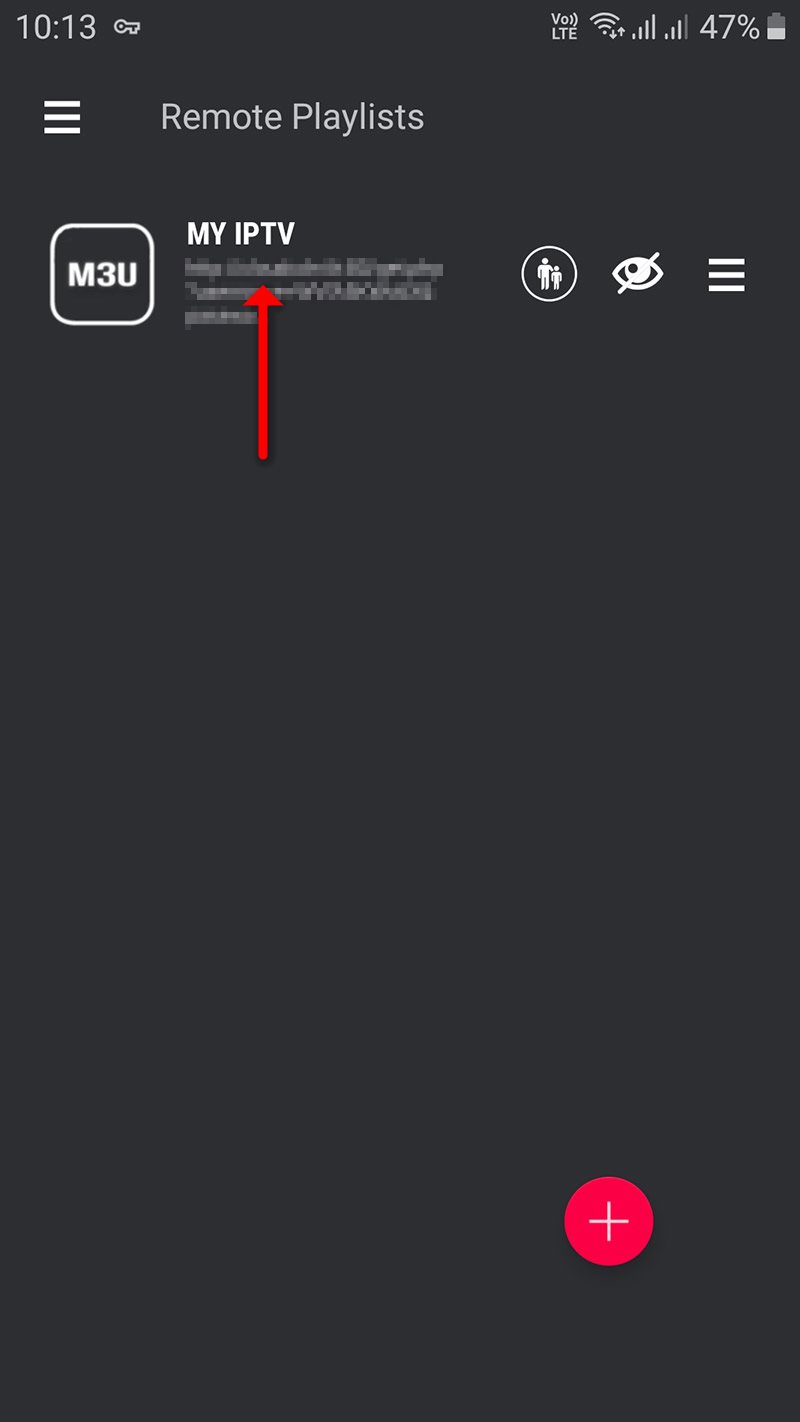
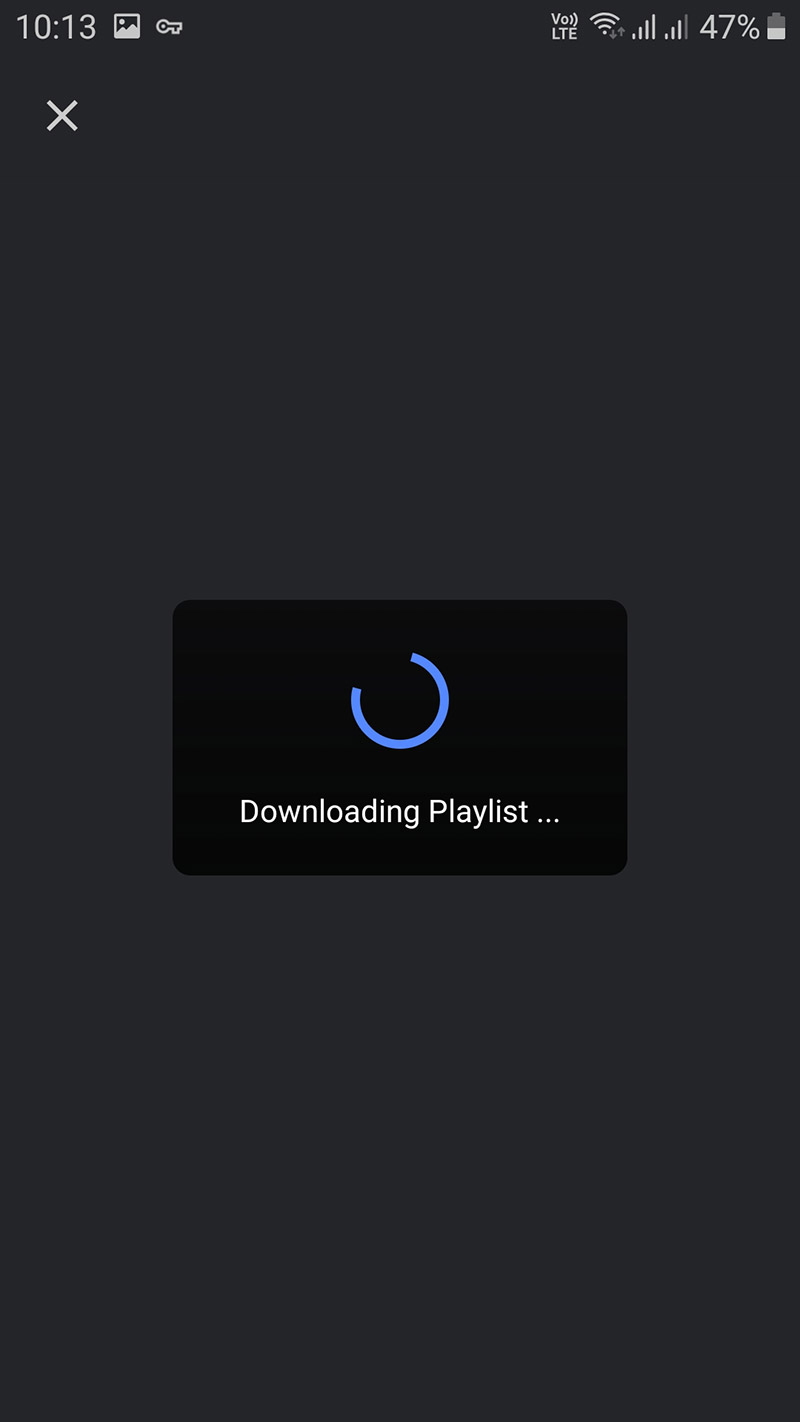
Step 4: Now wait for the channels to be added to your application and this might take a little time depending on which countries or channels groups your M3U file contains.
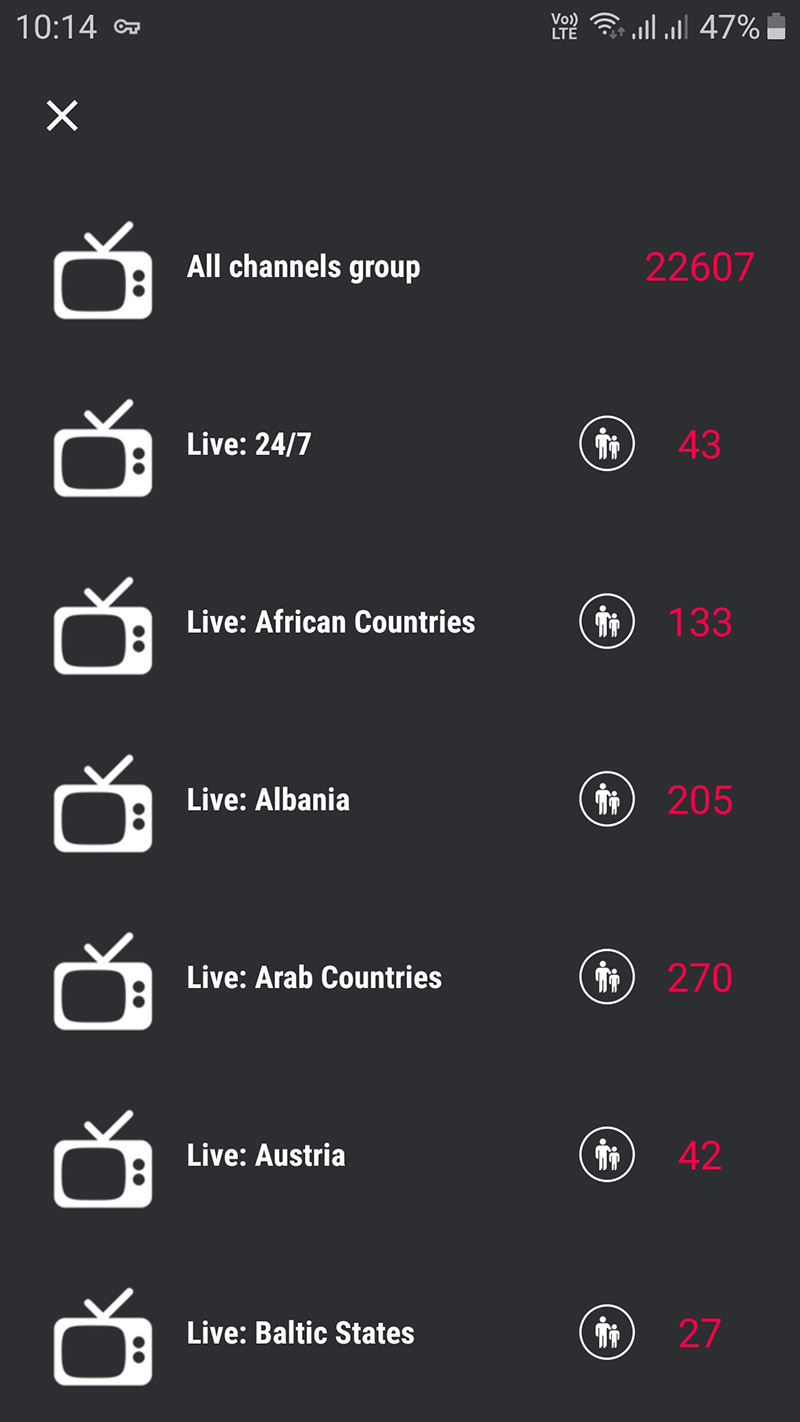
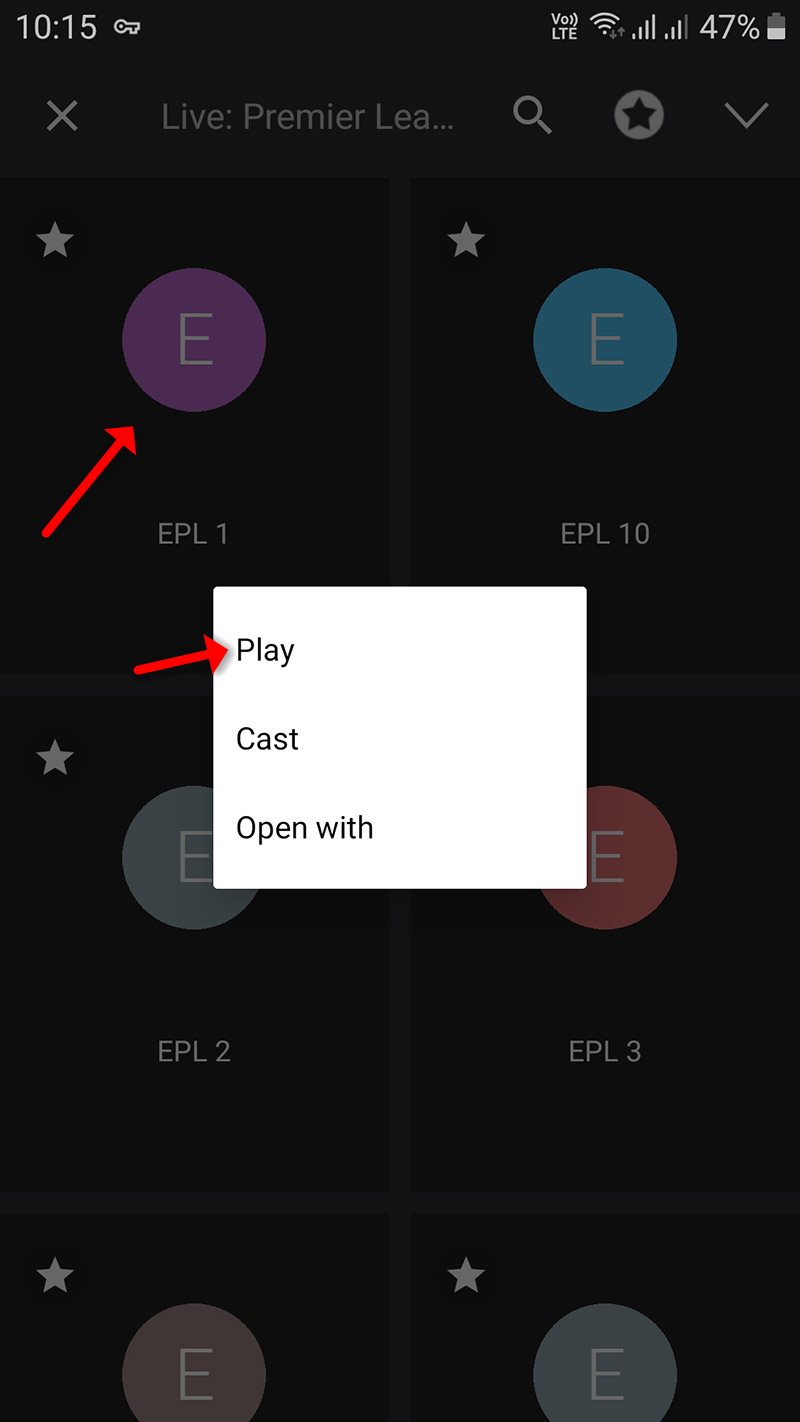
Step 5: Now select the channel that you want to watch and click on “Play“.
Key Features
Chromecast Support – Stream content directly to your TV.
Xtream-Codes API Integration – Automatically imports Live TV and VOD playlists, along with EPG and movie metadata.
EPG in XMLTV Format – Supports both local and remote files in XML, ZIP, and GZIP formats.
Parental Controls – Manage access to specific content.
M3U Playlist Import – Easily copy and paste M3U content.
Multi-Language Interface – Supports 31 languages with dynamic switching.
Customizable Themes – Choose from multiple themes for a personalized experience.
Built-in Player – Compatible with all major streaming formats, including RTMP with token support.
Live IPTV Streaming – Supports HTTP, HLS, M3U8, MMS, RTSP, and more.
Advanced RTMP Support – Full compatibility with secure token streams.
Let me know if you'd like this turned into a downloadable guide or blog-friendly format.